
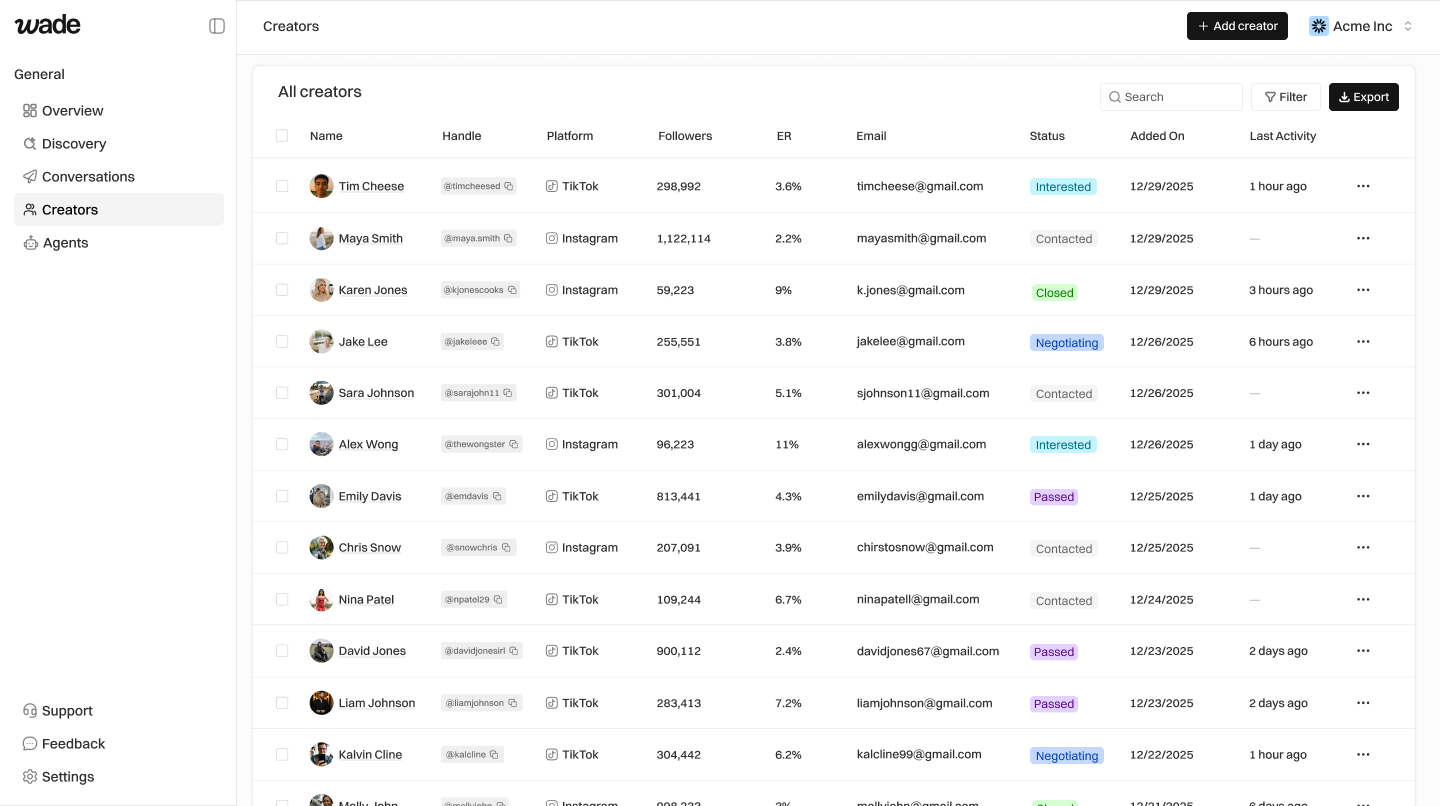
View Creators
All creators are shown in a table with their stats, status, and contact info. Click any row to open their full profile.Add a Creator Manually
- Click Add creator
- Enter their handle (e.g.,
@username) - Select the platform
- Click Add — Wade fetches their profile automatically
Change Creator Status
Statuses track where a creator is in your pipeline:| Status | Meaning |
|---|---|
| Saved | In your CRM, not contacted yet |
| Contacted | Outreach sent |
| Interested | They replied positively |
| Negotiating | Discussing a deal |
| Passed | Not moving forward |
| Closed | Deal done |
- Click the creator row to open their profile
- Click the status dropdown
- Select the new status
Filter and Search
- Use the Search bar to find by name, handle, or email
- Use Filter to show only certain statuses, platforms, or date ranges
Export Creators
Click Export to download your creator list as CSV. Exports respect any active filters.Bulk Actions
Select multiple creators with checkboxes, then:- Send outreach — Queue for Outreach Agent
- Export — Download as CSV
- Delete — Remove from CRM